How to get started
Follow these simple steps to start learning missions, earn points, and unlock parent-approved rewards.
1. Go to All Missions
Visit All Missions to browse the learning missions included in your plan.
2. Enrol on a mission
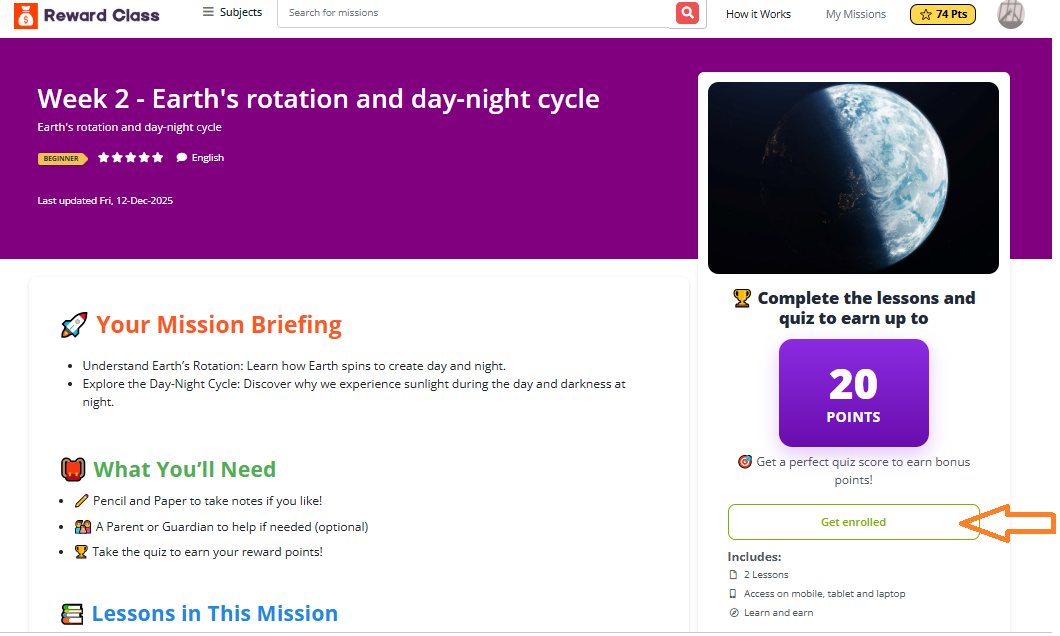
Choose a mission and click Get Enrolled. This adds the mission to My Missions. After enrolling, the button may change to Start Mission, once clicked this will take you to the lessons page.
3. Complete the lessons
Work through the lessons first. These help prepare your child for the quiz.
4. Take the quiz
After the lessons are complete, take the quiz to check understanding.
5. Earn points
Correct answers earn points. Points help your child work towards rewards.
6. Unlock rewards
When enough points are earned, your child can choose from parent-approved rewards or voucher rewards, depending on your package.
Write a public review